Search that keeps up with you
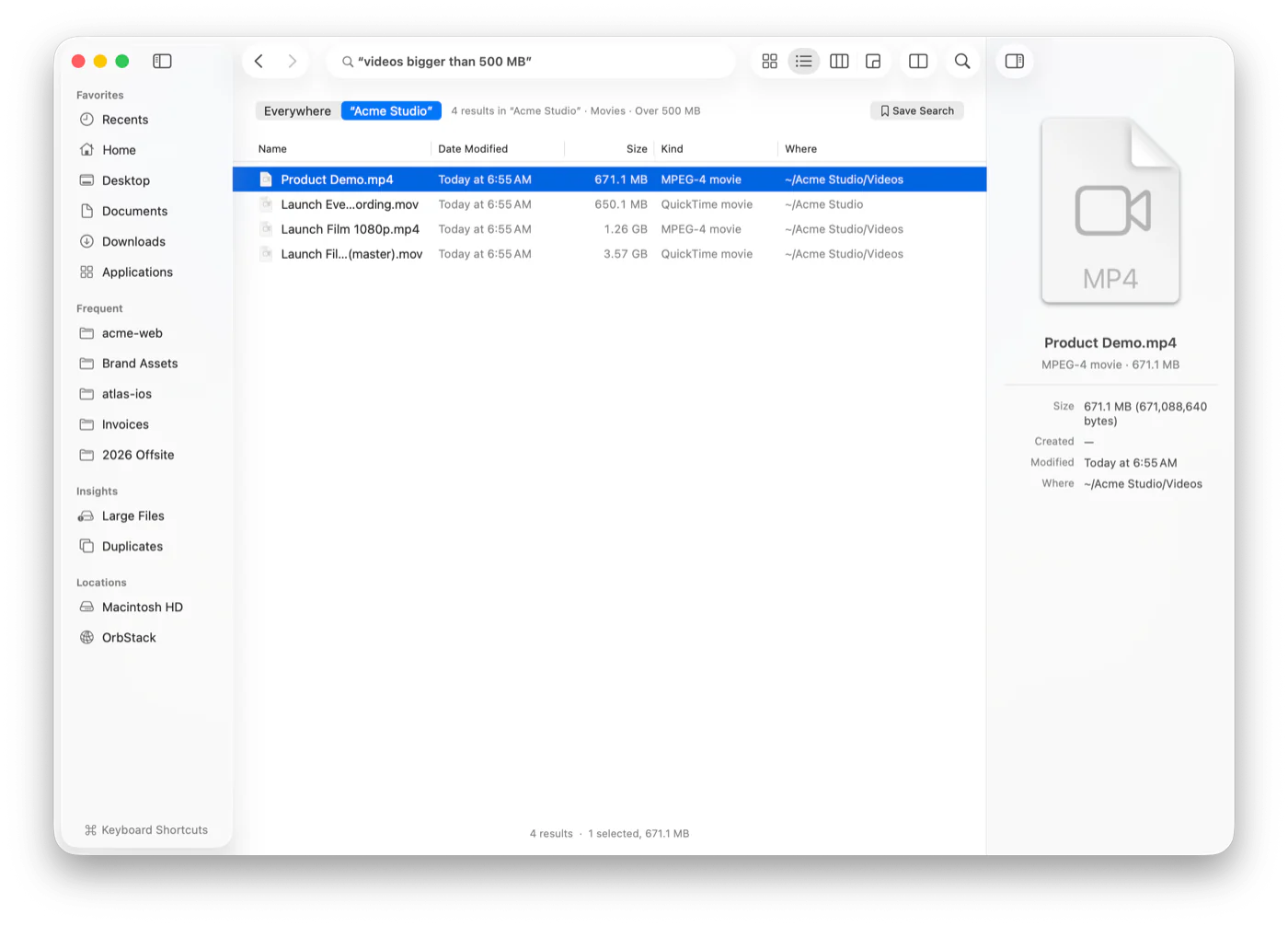
Every file in your home folder and Applications, indexed and searchable as you type. Once the index is built, results land in milliseconds, even across millions of files.
Strata finds anything in milliseconds, shows exactly where your space went, and lets you fly through your files from the keyboard. Native, private, and free.
Why Strata
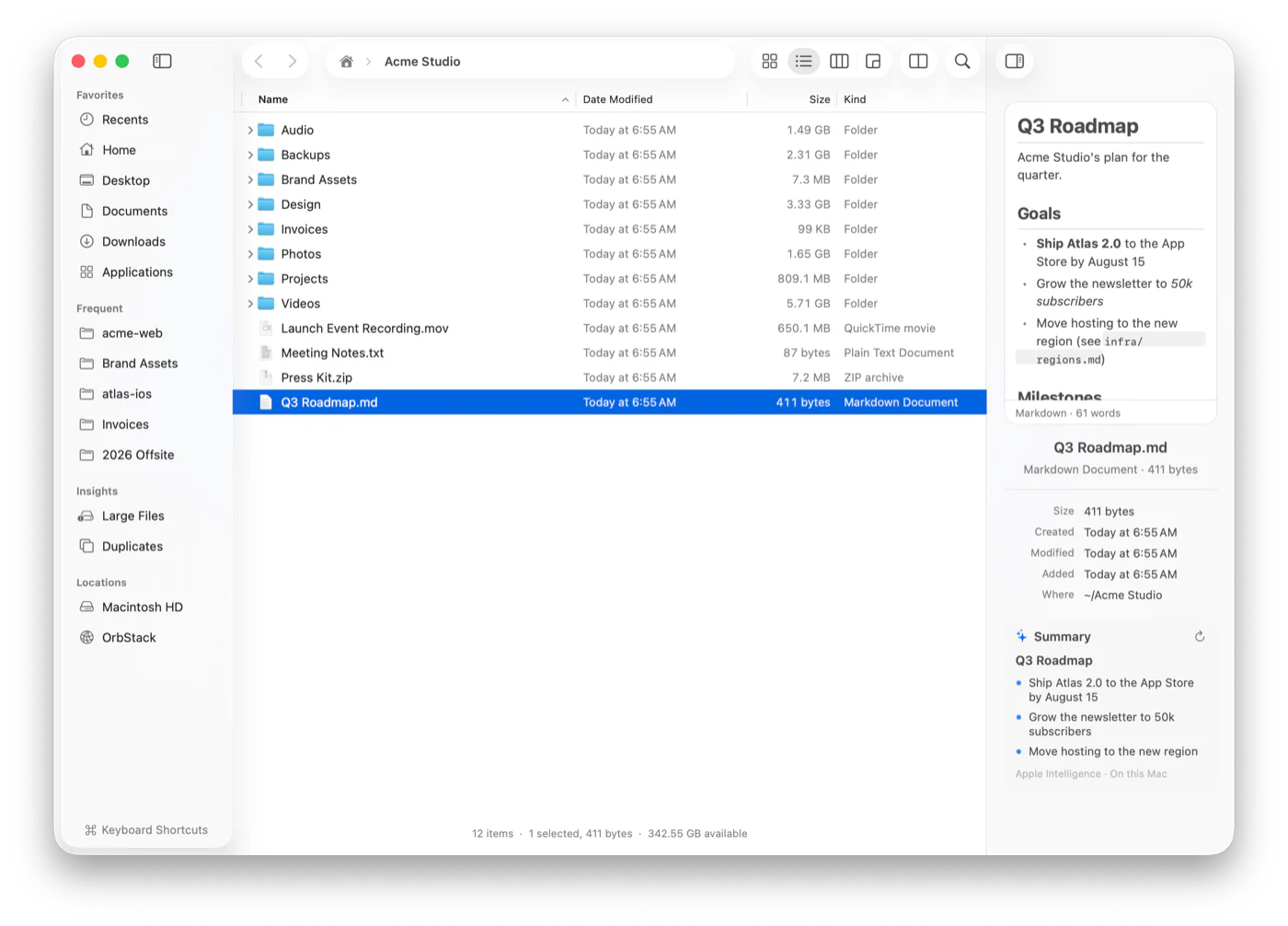
Strata is a Finder alternative that keeps what you know: the look, the shortcuts, drag and drop, Quick Look and tabs. Then it adds the things Finder has been missing for years.
Every file in your home folder and Applications, indexed and searchable as you type. Once the index is built, results land in milliseconds, even across millions of files.
Folders show their real size the moment you open them, and stay current as files change. No more “Calculating…”.
Jump anywhere with ⌘K, type to filter any folder, and switch views with ⌘1 to ⌘4. The Finder shortcuts you know still work.
Pause and resume big copies. See conflicts side by side, with a diff for text files, before anything is replaced. Undo past operations, even after you quit.
Search
Type a name, use precise filters, or just say what you mean. Strata understands plain English, shows you how it read your search, and answers before you finish typing.
Command palette
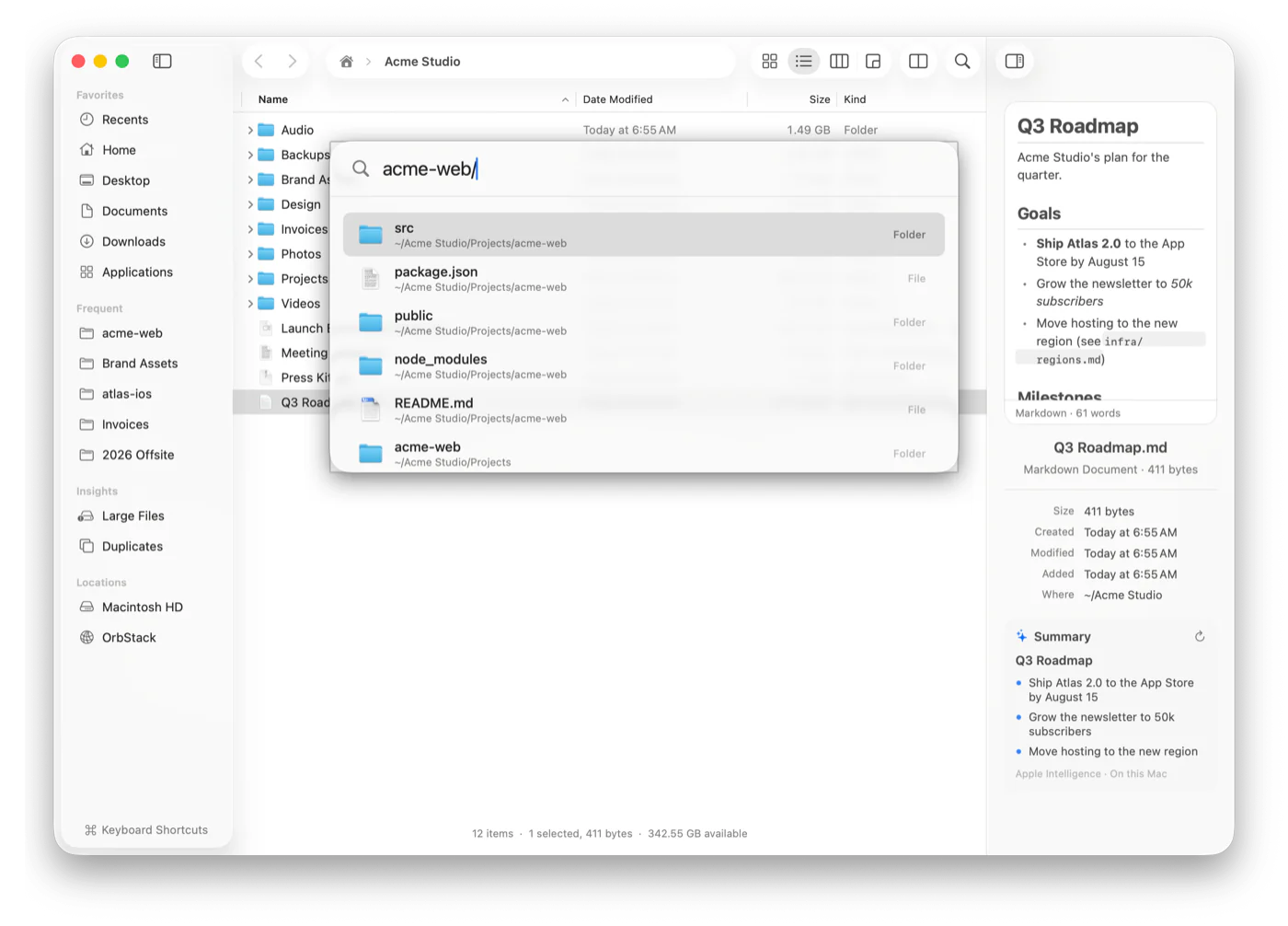
One shortcut opens a palette that knows your most-used folders, every file in the index, and all of Strata’s commands. Type acme-web/ to list a project’s contents without opening a single window.
Disk usage
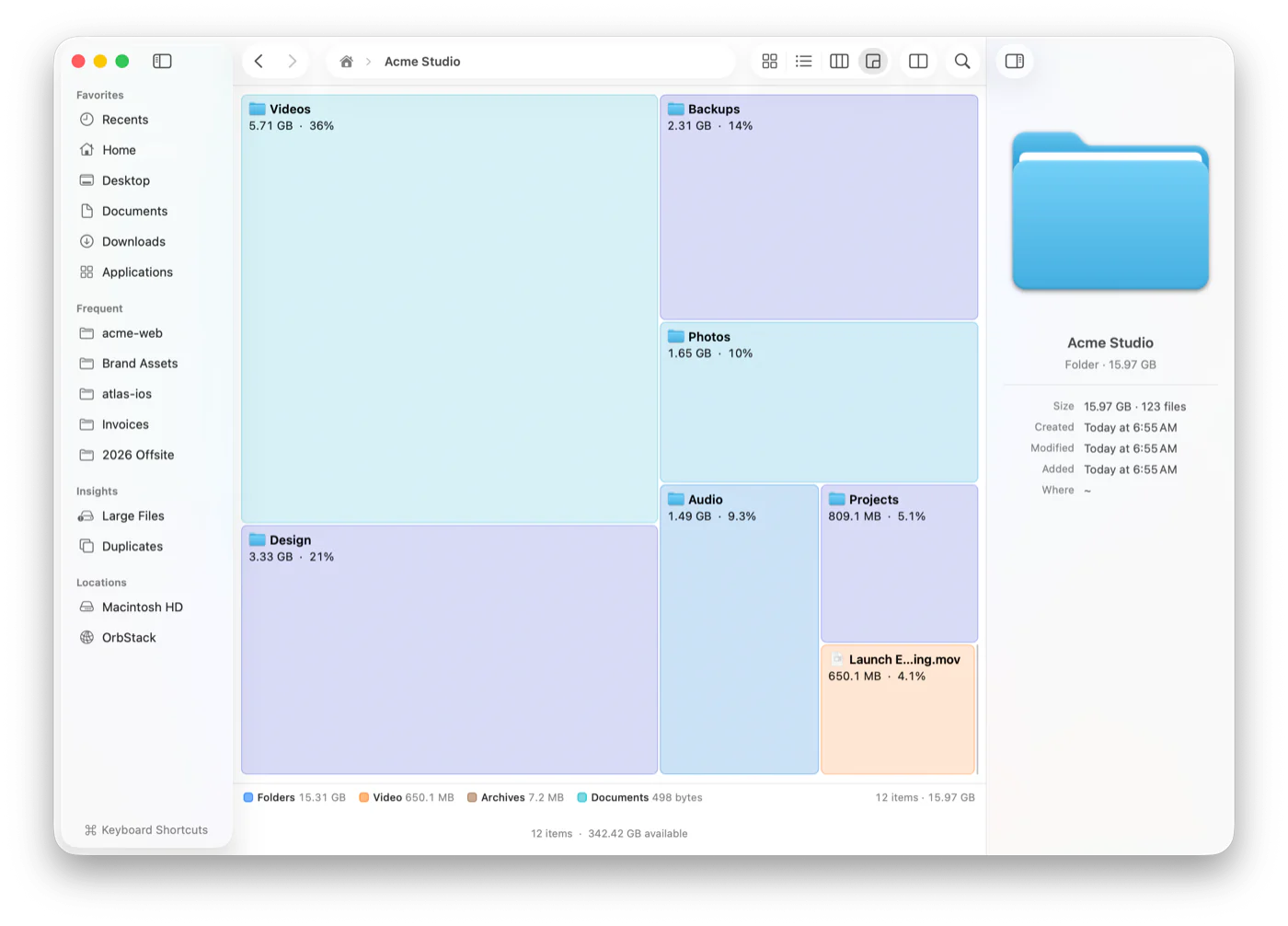
Switch any folder to Disk Usage and see it as a map, sized by what’s inside. Then use Large Files and Duplicates in the sidebar to find big and duplicate files and reclaim gigabytes in minutes.
Views
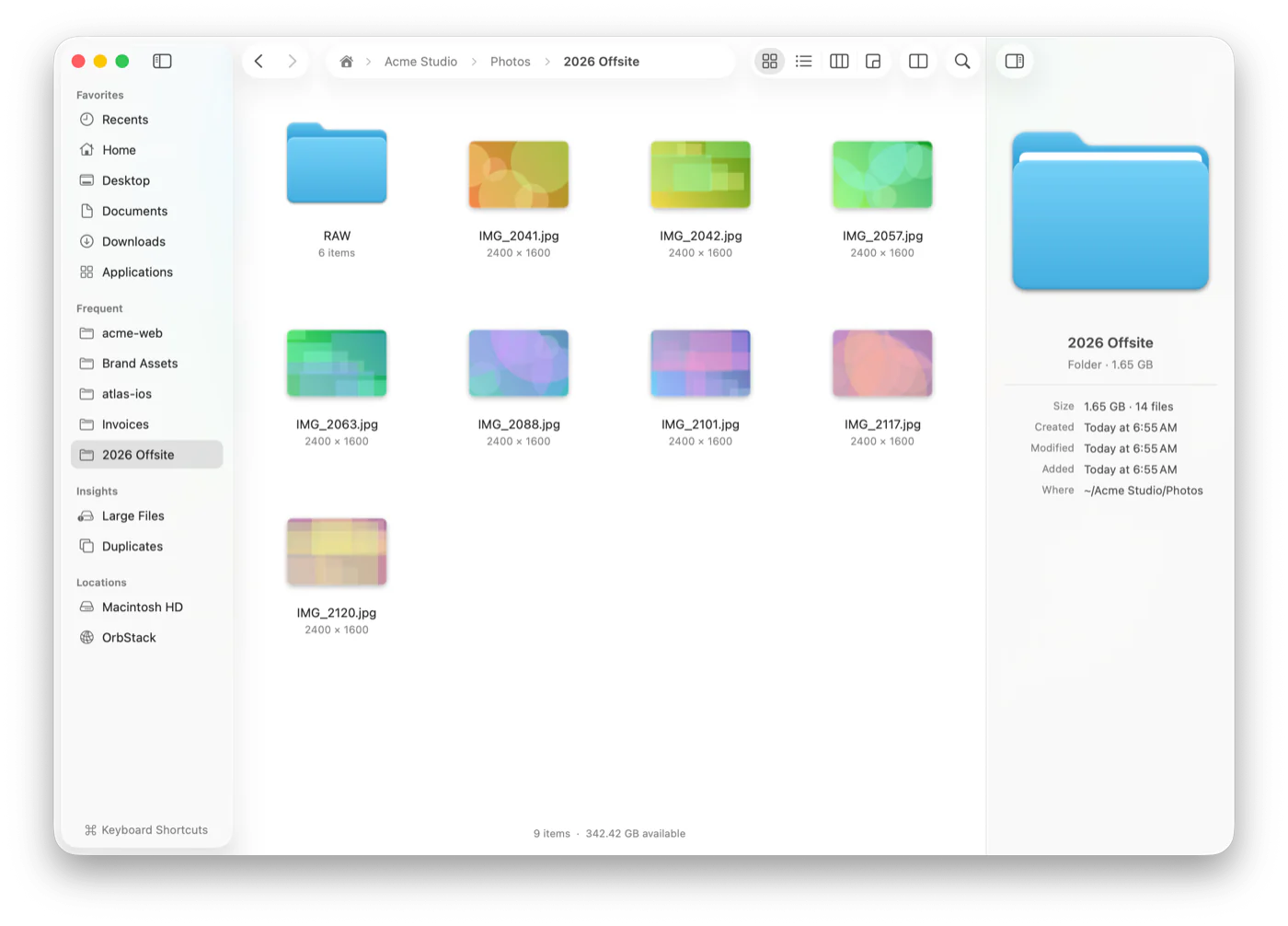
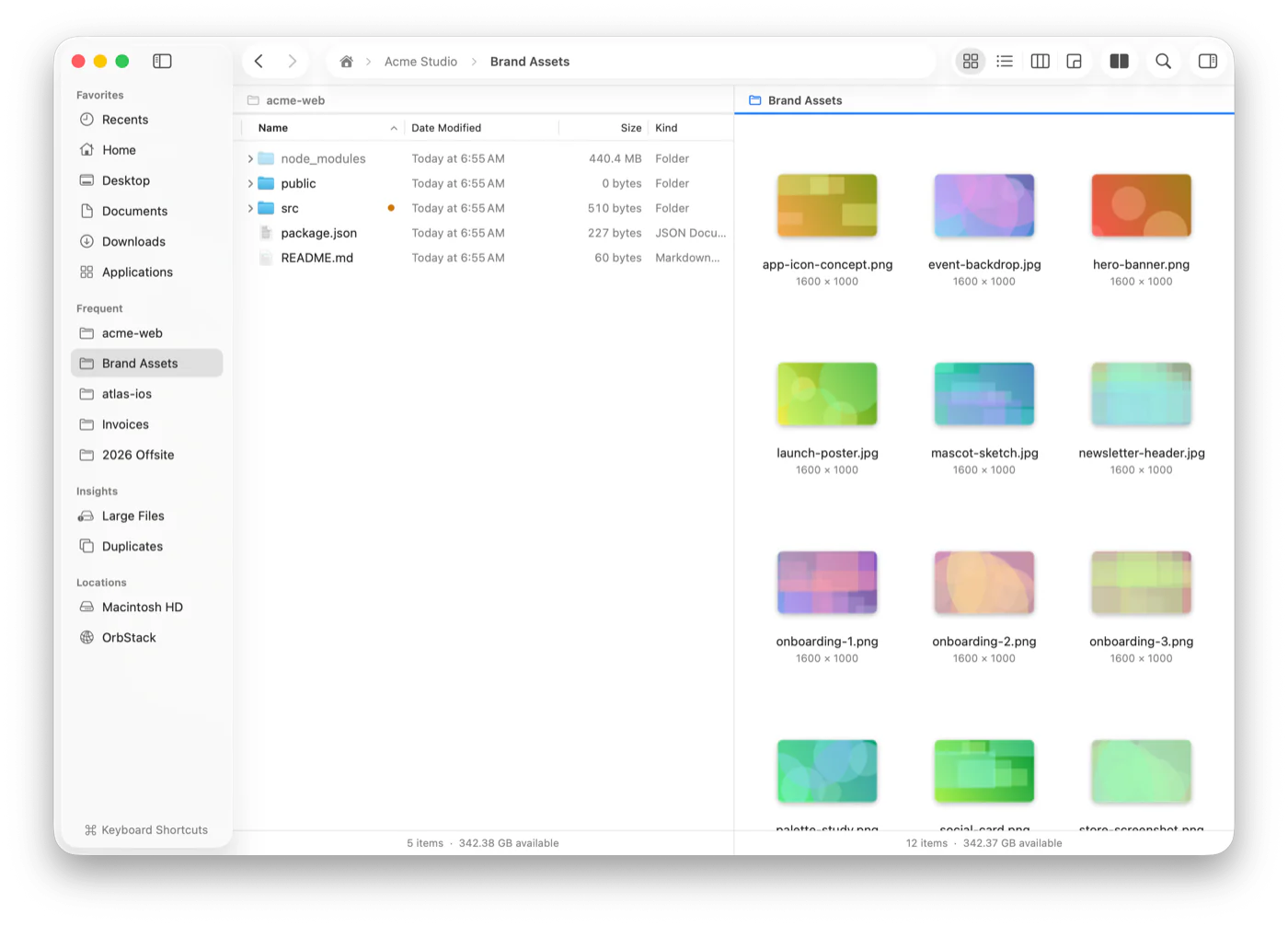
Icons, List, Columns and Disk Usage, one keystroke apart, just like Finder. Turn on Dual Pane for a classic dual-pane file manager: two folders side by side, with copy and move a keystroke away.
For developers
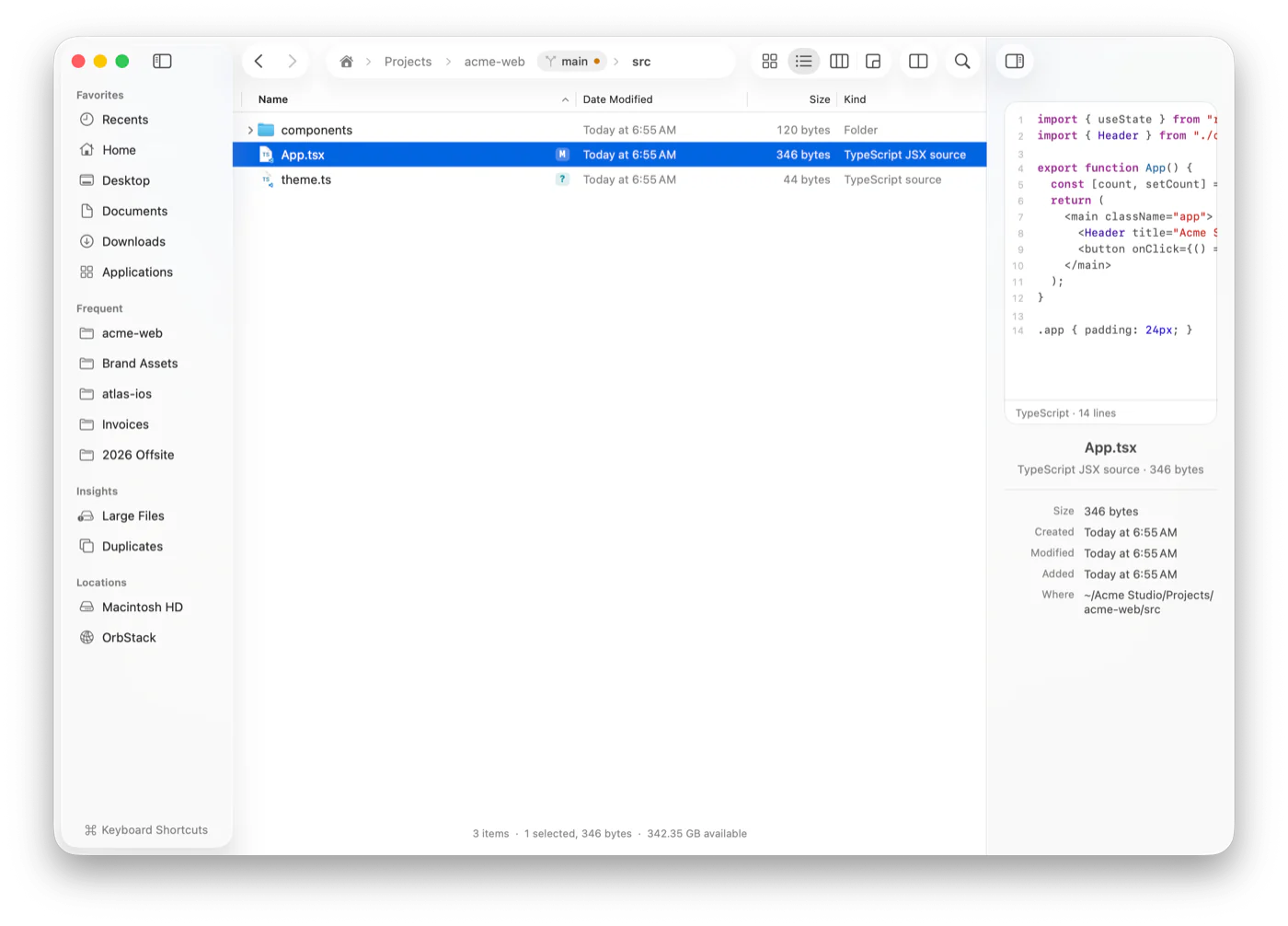
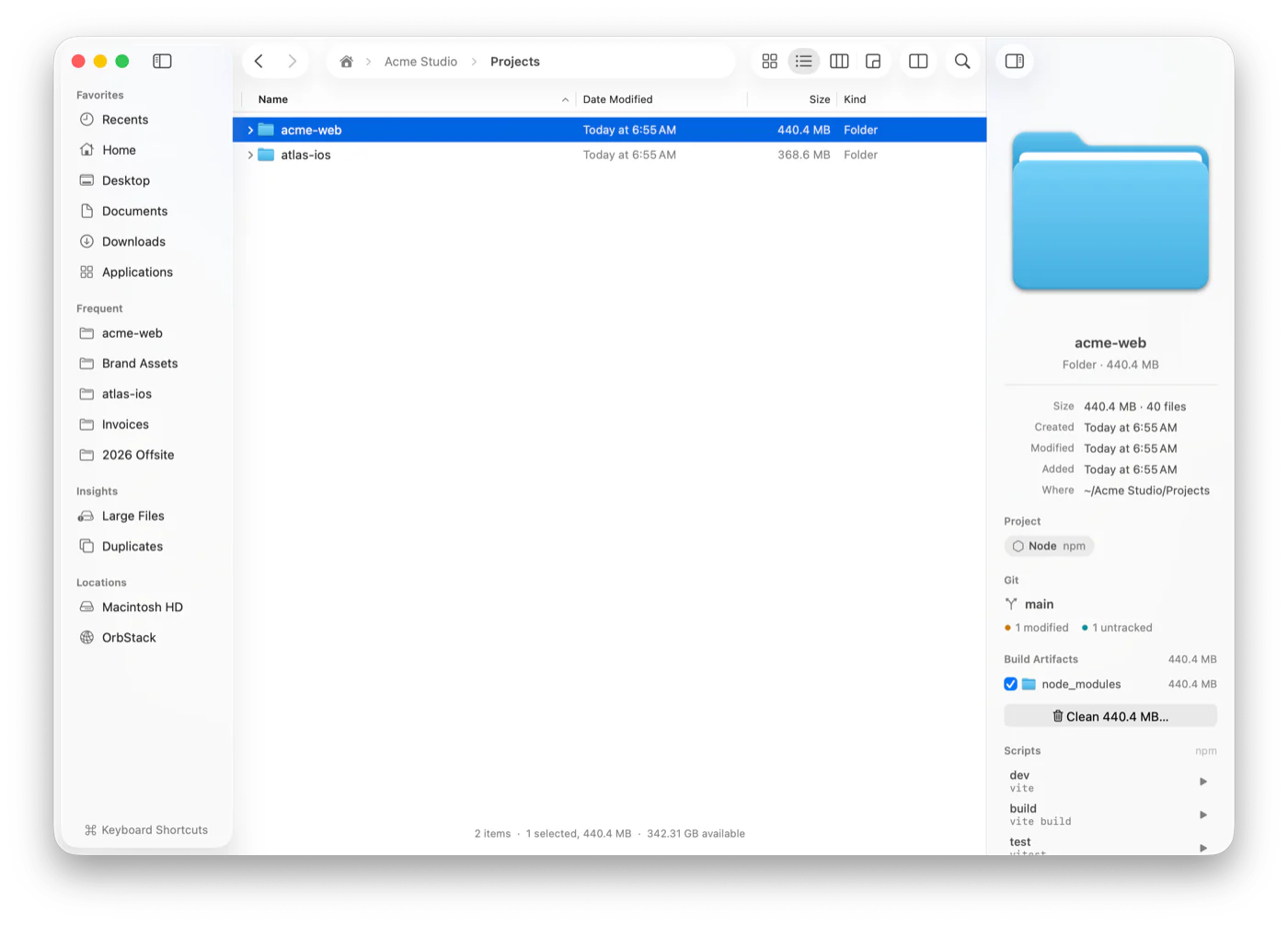
Every file shows its git status, and the current branch sits in the path bar. The inspector recognizes Node, Rust, Swift, .NET, Python, Go and more, lists a project’s scripts, and frees the space taken by build folders like node_modules in a click. They go to the Trash, so nothing is lost.
And more
Big copies run in the background with progress you can pause, resume or cancel. Turn on Verify copies to check every byte arrived.
Renames, moves, copies and deletions are recorded. Undo them later, even days later and after a restart.
Files you changed in the last 7 days, across your home folder, in one place.
Collect files from anywhere, then drop them all at once wherever they need to go.
Drag folders into Favorites, reorder them, eject disks. Windows and tabs come back where you left them.
Save a set of tabs and panes, and reopen them together with one click.
Describe a bulk change, like “rename these photos by date taken”, and review the plan before anything happens.
The gist of a PDF or document in the inspector, written by Apple Intelligence, or its key sentences without it.
strata . opens the current folder, and strata -s "invoice pdf" searches, right from your terminal.
Keyboard first
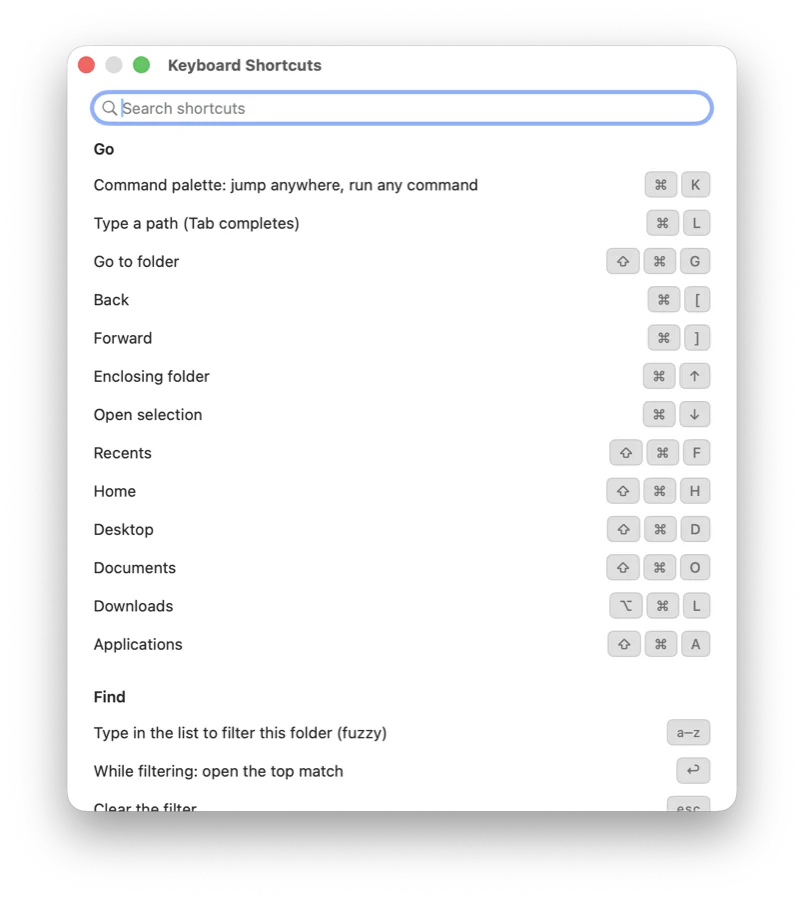
Most actions have a shortcut, and the ones you know from Finder work the same way. Can’t remember one? Press ⌘/ and search them.
Privacy
Strata runs entirely on your Mac. There’s no account to create, nothing to sign in to, and nothing phoning home.
Search, summaries and AI features run locally. No accounts, no tracking, no cloud. Your files and your searches never leave the machine.
Strata’s file index, content index and history are encrypted on disk, with a key kept in your keychain.
A folder can’t run its own code just because you looked at it. Strata switches off the git features a downloaded repository could use to do that.
Pricing
Strata is MIT licensed. Download it, use it every day, read every line of it, and help shape what comes next.
FAQ
A Mac with Apple silicon running macOS 26 Tahoe. Apple Intelligence is optional: without it, summaries fall back to a document’s key sentences and Ask Strata to its built-in rules.
Strata is a Finder alternative that works alongside Finder, so you can try it without giving anything up. If you like it, turn on Open “Reveal in Finder” in Strata in Settings, and apps that show files in Finder open Strata instead.
So it can search and measure everything without macOS asking you folder by folder. It’s optional, and Strata walks you through it on first launch. Without it, Strata still works with the folders you open.
Every release is signed with a Developer ID and notarized by Apple, so macOS opens it without warnings. The source is public, and each release lists SHA-256 checksums.
No. There are no accounts, no analytics and no servers. The search index and history stay on your Mac, encrypted.
Download the latest version from this page or from GitHub Releases and replace the app in your Applications folder. Strata doesn’t check for updates on its own, because it doesn’t connect to anything.